오류 상황:
오류: 기본 클래스 com.ssafy.soda.PjtSodaApplication을(를) 로드하는 중 LinkageError가 발생했습니다.
    java.lang.UnsupportedClassVersionError: com/ssafy/soda/PjtSodaApplication has been compiled by a more recent version of the Java Runtime (class file version 65.0), this version of the Java Runtime only recognizes class file versions up to 61.0
이런 에러가 뜨면서 아예 Springboot 의 서버가 안 켜지는 경우가 종종 생긴다. 이 문제에 오래 시달렸던 사람으로서 해답을 3가지 주겠다...
1. Maven clean 을 한 다음에 install 한다.
프로젝트를 오른쪽 마우스로 클릭하면 maven clean 이 보일 것이다. sts 의 경우 run as.. 를 누르면 보일 것이다.
2. pom.xml 파일을 수정한다.
pom.xml 파일을 열어서 다음 부분을 찾아보기
<properties>
    <java.version>21</java.version><!-- 현재 이렇게 되어있을 것입니다 -->
</properties>
Java 버전을 17로 변경:
<properties>
    <java.version>17</java.version>
</properties>
만약 maven-compiler-plugin 설정이 있다면 이것도 확인하기:
<plugin>
    <groupId>org.apache.maven.plugins</groupId>
    <artifactId>maven-compiler-plugin</artifactId>
    <configuration>
        <source>17</source>
        <target>17</target>
    </configuration>
</plugin>
변경 후 다음 작업을 순서대로 하기:
- Maven Update Project (Eclipse 사용 시)
- run as (STS 사용 시)
- Maven Clean: mvn clean
- Maven Install: mvn install
프로젝트를 다시 실행해기
3. 프로젝트를 오른쪽 마우스 클릭하면 properties 가 나옴. (sts 기준)
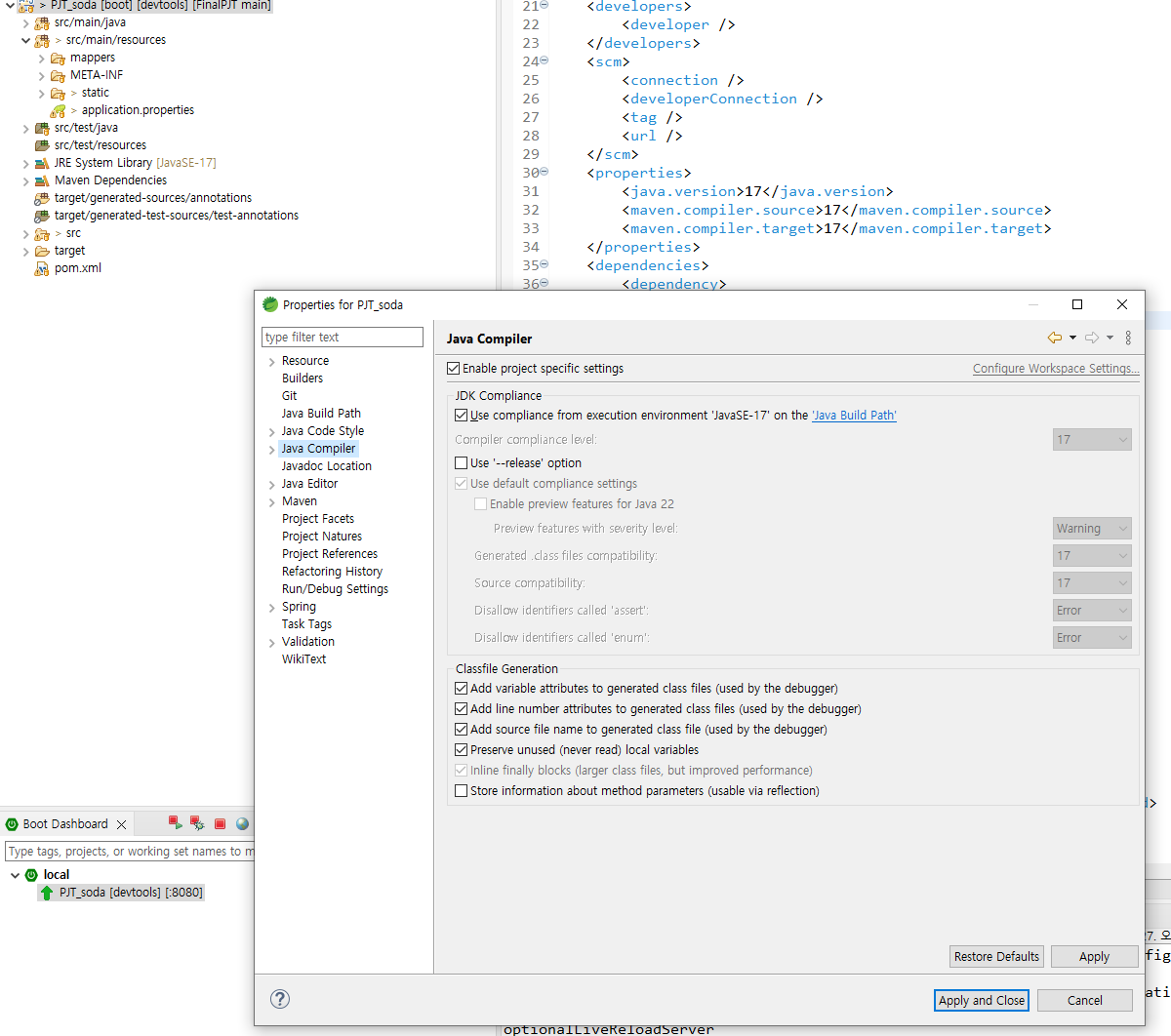
java Compiler 의 버전이 자신이 작업하고 있는 버전과 같은지 확인하기. (난 21로 설정되어 있었음... 그래서 안 됐던 거...)
'오류 로그🪲' 카테고리의 다른 글
| Pinia 오류- 절대 경로 import 이슈 (0) | 2024.11.30 |
|---|